Menu

Skip to content
AppleScriptの穴
  • Home
  • Products
  • Books
  • Docs
  • Events
  • Forum
  • About This Blog
  • License
  • 仕事依頼

AppleScriptの穴

Useful & Practical AppleScript archive. Click '★Click Here to Open This Script' Link to download each AppleScript

タグ: 26.0savvy

Claris FileMaker Pro 2025(v22)がリリースされた

Posted on 7月 12 by Takaaki Naganoya

Appleの子会社であるClarisから、Claris FileMaker Pro 2025(v22)がリリースされました。

AppleScript名:Claris FileMaker Pro 2025のバージョン番号取得.scpt
tell application "FileMaker Pro"
  version
  
–> "22.0.1"
end tell

★Click Here to Open This Script 

AppleScript用語辞書は前バージョンから変更されていません。

Posted in news | Tagged 14.0savvy 15.0savvy 26.0savvy | Leave a comment

ASCII ARTで直線を引く v3.1

Posted on 7月 8 by Takaaki Naganoya

ASCII ARTで指定の2点間に線を引くAppleScriptです。(デモ用の)文字で表現するゲームを作る場合に、基礎ルーチンを整備しておく必要性を感じて、書いておきました。

AppleScript名:ASCII ARTで直線を引く v3.1.scpt
—
–  Created by: Takaaki Naganoya
–  Created on: 2025/07/07
—
–  Copyright © 2025 Piyomaru Software, All Rights Reserved
—

property widthCount : 40
property heightCount : 25
property spaceChar : " "
property drawChar : "■"

— 使用例
set canvas to makeBlankCanvas() of me

set canvas to drawLine(canvas, 0, 0, 39, 24, 1) of me — 太さ1の線

set curDelim to AppleScript’s text item delimiters
set AppleScript’s text item delimiters to return
set resultText to canvas as text
set AppleScript’s text item delimiters to curDelim

return resultText

on makeBlankCanvas()
  set blankLine to ""
  
repeat widthCount times
    set blankLine to blankLine & spaceChar
  end repeat
  
set canvas to {}
  
repeat heightCount times
    set end of canvas to blankLine
  end repeat
  
return canvas
end makeBlankCanvas

on drawLine(canvas, x0, y0, x1, y1, thickness)
  script spd
    property drawnPositions : {}
    
property drawXCoords : {}
    
property canvas : {}
    
property lineChars : {}
  end script
  
  
copy canvas to (canvas of spd)
  
  
set dx to x1 – x0
  
set dy to y1 – y0
  
set lineLength to (dx * dx + dy * dy) ^ 0.5
  
  
if lineLength = 0 then
    if x0 ≥ 0 and x0 < widthCount and y0 ≥ 0 and y0 < heightCount then
      set theLine to item (y0 + 1) of (canvas of spd)
      
set newLine to replaceCharAt(theLine, x0 + 1, drawChar)
      
set item (y0 + 1) of (canvas of spd) to newLine
    end if
    
    
return (canvas of spd)
  end if
  
  
set nx to –dy / lineLength
  
set ny to dx / lineLength
  
  
set halfThickness to (thickness – 1) / 2
  
if halfThickness < 0 then set halfThickness to 0
  
  
set x to x0
  
set y to y0
  
  
set dxAbs to absNum(dx) of me
  
set dyAbs to absNum(dy) of me
  
set sx to signNum(dx) of me
  
set sy to signNum(dy) of me
  
set err to dxAbs – dyAbs
  
  
set (drawnPositions of spd) to {}
  
  
repeat
    set (drawXCoords of spd) to {}
    
repeat with t from –halfThickness to halfThickness
      set pxF to x + nx * t
      
set pxInt to pxF as integer
      
if pxInt ≥ 0 and pxInt < widthCount then
        if (drawXCoords of spd) does not contain pxInt then
          set end of (drawXCoords of spd) to pxInt
        end if
      end if
    end repeat
    
    
set pyInt to y as integer
    
if pyInt ≥ 0 and pyInt < heightCount then
      set theLine to item (pyInt + 1) of (canvas of spd)
      
set (lineChars of spd) to characters of theLine
      
      
repeat with pxInt in (drawXCoords of spd)
        set posKey to (pxInt as string) & "," & (pyInt as string)
        
        
if (drawnPositions of spd) does not contain posKey then
          set item (pxInt + 1) of (lineChars of spd) to drawChar
          
set end of (drawnPositions of spd) to posKey
        end if
        
      end repeat
      
      
set newLine to (lineChars of spd) as string
      
set item (pyInt + 1) of (canvas of spd) to newLine
    end if
    
    
if x = x1 and y = y1 then exit repeat
    
    
set e2 to 2 * err
    
if e2 > –dyAbs then
      set err to err – dyAbs
      
set x to x + sx
    end if
    
    
if e2 < dxAbs then
      set err to err + dxAbs
      
set y to y + sy
    end if
  end repeat
  
  
return (canvas of spd)
end drawLine

on replaceCharAt(str, pos, char)
  if pos < 1 or pos > (length of str) then return str
  
set prefix to text 1 thru (pos – 1) of str
  
set suffix to text (pos + 1) thru -1 of str
  
return prefix & char & suffix
end replaceCharAt

on absNum(n)
  if n < 0 then return –n
  
return n
end absNum

on signNum(n)
  if n > 0 then return 1
  
if n < 0 then return -1
  
return 0
end signNum

★Click Here to Open This Script 

Posted in Text | Tagged 13.0savvy 14.0savvy 15.0savvy 26.0savvy | Leave a comment

NLTaggerで品詞つきの日本語形態素解析

Posted on 6月 30 by Takaaki Naganoya

ChatGPTに日本語形態素解析のAppleScriptを書かせてみました。そのままでは使い物にならず、ずいぶん書き直しましたが、ゼロから書くよりは時間の節約になっています。
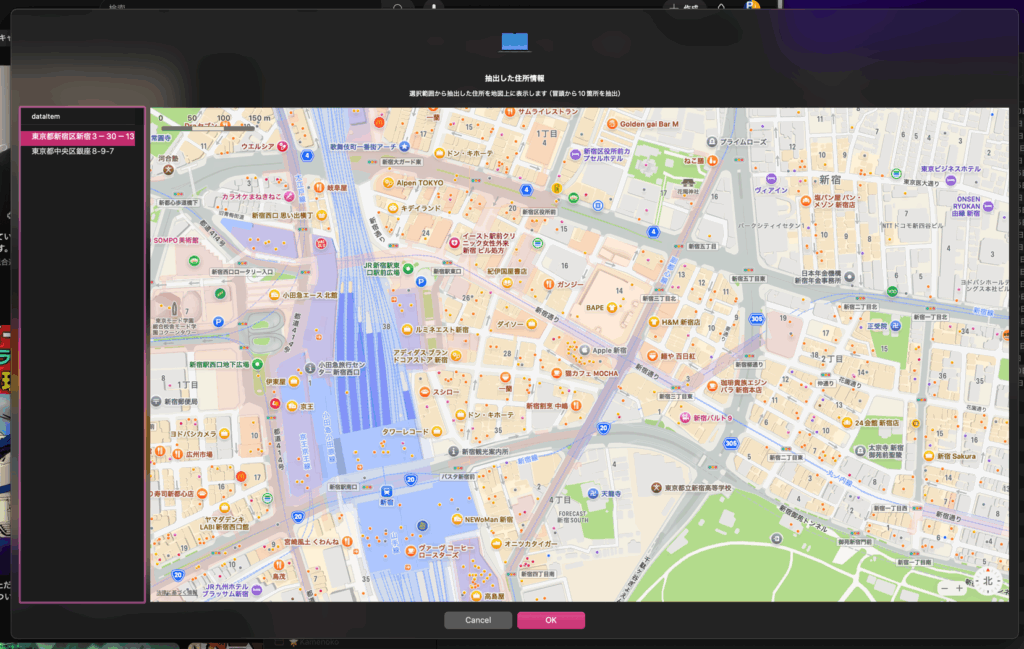
ただし、実際に書いて動かしてみるとNLTaggerでは日本語の品詞情報が取得できないので、ほぼ役に立ちません。MeCab経由で取得したほうが実用的です。
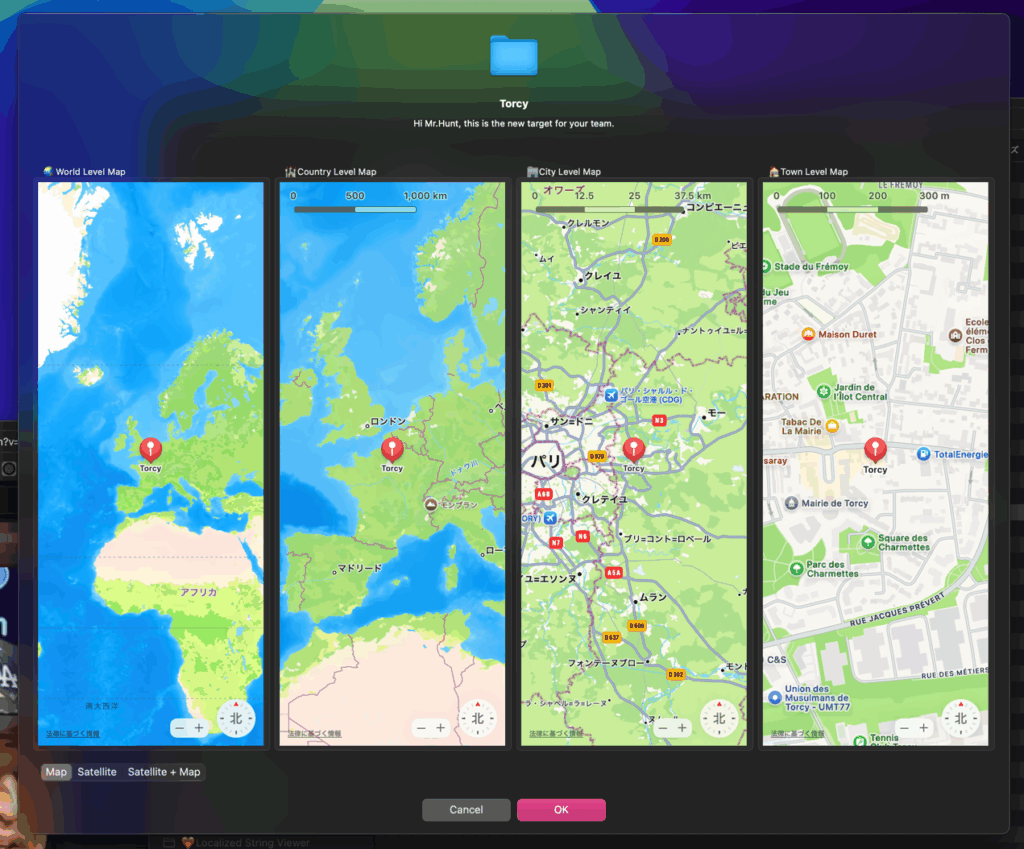
この状態で「なんちゃらIntelligence」とか言われても、「はぁ?」としか、、、基礎ができていないのに応用はできませんよ。
AppleScript名:NLTaggerで品詞つきの日本語形態素解析(ただし、品詞はほとんど役に立たない).scptd
—
–  Created by: Takaaki Naganoya
–  Created on: 2025/06/30
—
–  Copyright © 2025 Piyomaru Software, All Rights Reserved
—

use AppleScript version "2.8" — macOS 12 or later
use framework "Foundation"
use framework "NaturalLanguage"
use scripting additions

set inputText to current application’s NSString’s stringWithString:"私は昨日東京に行きました。"

— NLTaggerの作成(品詞情報を取得したいのでLexicalClassを指定)
set tagger to current application’s NLTagger’s alloc()’s initWithTagSchemes:{current application’s NLTagSchemeLexicalClass}
tagger’s setString:inputText
tagger’s setLanguage:(current application’s NLLanguageJapanese) range:{location:0, |length|:(inputText’s |length|())}

— 結果を格納するリスト
set tokenList to {}

— 解析処理
set inputLength to (inputText’s |length|()) as integer
set currentIndex to 0

repeat while currentIndex < inputLength
  set tokenRangeRef to reference
  
set {tagRes, theRange} to tagger’s tagAtIndex:(currentIndex) unit:(current application’s NLTokenUnitWord) |scheme|:(current application’s NLTagSchemeLexicalClass) tokenRange:(tokenRangeRef)
  
–return theRange
  
  
set theRange to theRange as record
  
set startLoc to theRange’s location
  
set rangeLen to theRange’s |length|()
  
  
if (rangeLen > 0) then
    set tokenText to inputText’s substringWithRange:(current application’s NSMakeRange(startLoc, rangeLen))
    
if tagRes is not missing value then
      set posStr to tagRes as string
    else
      set posStr to "Unknown"
    end if
    
set endIndex to startLoc + rangeLen
    
set end of tokenList to {(tokenText as string), posStr}
    
set currentIndex to endIndex
  else
    exit repeat
  end if
end repeat

return tokenList
–> {{"私", "OtherWord"}, {"は", "OtherWord"}, {"昨日", "OtherWord"}, {"東京", "OtherWord"}, {"に", "OtherWord"}, {"行き", "OtherWord"}, {"まし", "OtherWord"}, {"た", "OtherWord"}, {"。", "SentenceTerminator"}}

★Click Here to Open This Script 

Posted in Natural Language Processing | Tagged 15.0savvy 26.0savvy NLTagger | Leave a comment

macOS 26, 15.5でShortcuts.app「AppleScriptを実行」アクションのバグが修正される

Posted on 6月 10 by Takaaki Naganoya

macOS 15.xで続いていた、Shortcuts.appの「AppleScriptを実行」アクションにおいて、デフォルト入力されるべきハンドラなどのScriptが新規追加時に入力されないバグが、修正されたようです。

これは、macOS 26BetaのShortcuts.app上で本バグが修正されていたことから、macOS 15.5上のShortcuts.appの再確認を行ったところ、実際に修正されていることが明らかになりました。

macOS 15.5上のShortcuts.app ようやく「AppleScriptを実行」アクションのバグが修正されたもよう

Posted in Bug | Tagged 15.0savvy 26.0savvy Shortcuts | Leave a comment

macOS 26, Tahoe

Posted on 6月 10 by Takaaki Naganoya

バージョン番号のリナンバーが行われ、macOS 15の次はmacOS 26ということになりました。AppleScriptで「system info」を実行すると、 system version:”26.0″が返ってきます。

スクリプトエディタのバージョンは上がっていませんが、Dark Modeへの対応が行われており、エディタ背景がDark Modeで暗くなるようです。ウィンドウの角丸の半径が大きくなって、全体的にオモチャみたいな印象を受けます。個人的に嫌いではないですが、画面を広く使えない(余白が多い)ので現場によっては困ることも。

AppleScriptのバージョンは2.8で変更なし。まだそんなに真剣に使っていないので、AppleScriptから見て挙動が変わったかといった点はわかりません。

β版のmacOSでありがちな、バージョン取得機能ミスや、aliasからPOSIX pathへの変換ミスなどは見られませんでした。

ただ、WWDC Keynoteで見られたガラス調のUIの見た目については、現時点では見られず、これがまだ実装が間に合っていないためなのか、M1 Mac miniだと環境的に再現しないのかは不明です。

テキスト読み上げ音声系のVoice Characterが増えたりはしていないのですが、「プレミアム」と「拡張」が同時に存在しているなど、ポリシーにゆらぎが見えます。どちらかにするのではないんですね。

バグ:
スクリプトエディタ内からスクリプトメニューをオンに設定しても、ステータスメニュー上にスクリプトメニューが表示されません。すぐにオフになります。この点はバグでしょう(調査が始まったとの話)。
→ 本件はリリース版で修正ずみです(βで修正されていました)

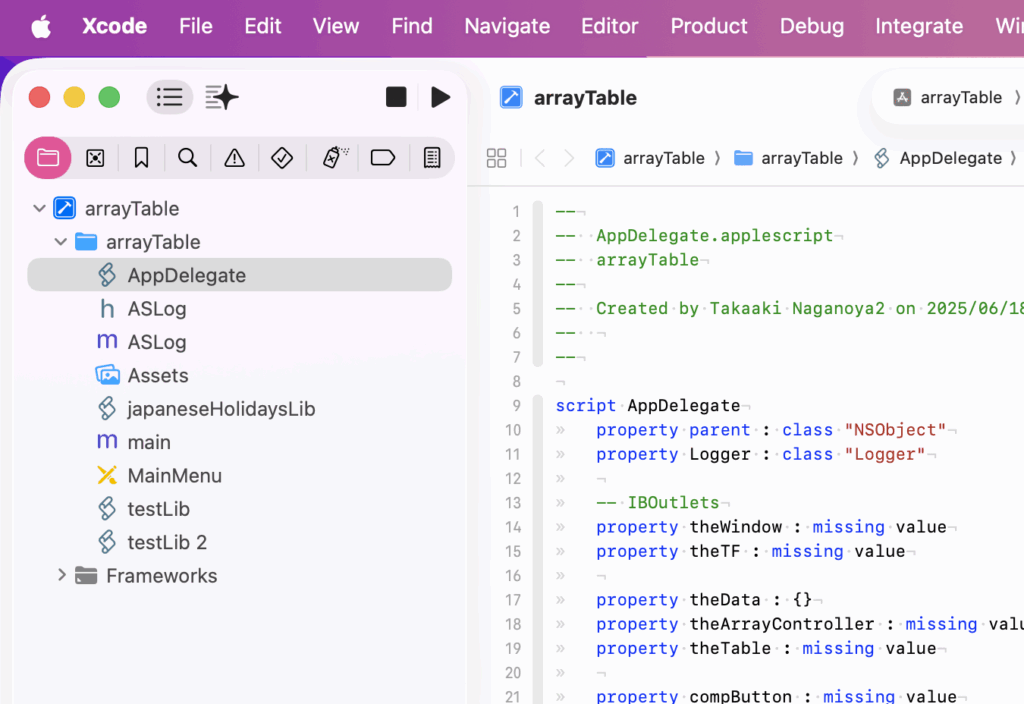
Xcode 26でAppleScript App templateが認識されませんでした。関係者に報告していますが、回答はもらっていません。一応、既存のXcode ProjectをmacOS 26に持って行って、ビルド+実行できることは確認しています。テンプレートの場所や記法が変わったのかも?

→ Xcodeのテンプレートのフォルダが変更になったようです。従来は、~/Library/Xcode/Templatesでしたが、Xcode 26では~/Library/Developer/Xcode/Templates に変わっていました(ドキュメントとかヘルプに記載なし)。

→ 関係者との協議のすえ、これは自分の勘違いで最初から ~/Library/Developer/Xcode/Templates であったことが判明しました。

リリース版のmacOS 26で試したところ、従来どおりの組み方ではStatus Menu Itemを作成するAppleScriptがうまく動作していません。バグなのか、仕様変更なのかは不明です。

■FinderのBug

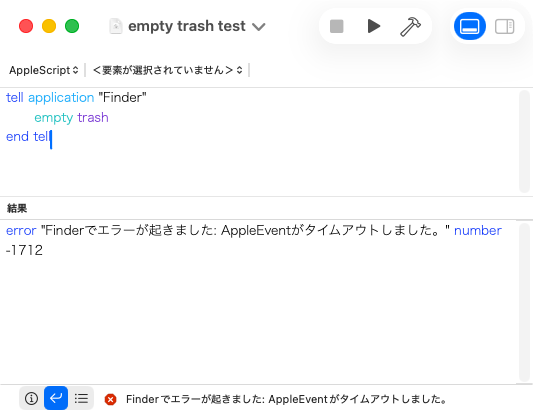
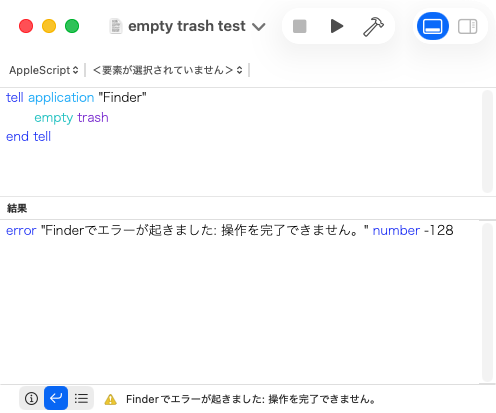
Michael Tsai氏がX上に投稿しているのを見つけましたが、Finder上でゴミ箱が空の状態で、empty trashを実行するとFinderが応答せず、タイムアウトエラーになるというFinderのバグが確認されています。

Tahoe AppleScript Timeouts

自分も、同じ内容をmacOS 26.1βの日本語環境で再現することを確認しました。

Posted in Bug news | Tagged 26.0savvy | Leave a comment

Post navigation

  • Newer posts

電子書籍(PDF)をオンラインストアで販売中!

Google Search

Popular posts

  • macOS 26, Tahoe
  • KagiのWebブラウザ、Orion
  • Script Debuggerの開発と販売が2025年に終了
  • 【続報】macOS 15.5で特定ファイル名パターンのfileをaliasにcastすると100%クラッシュするバグ
  • NSObjectのクラス名を取得 v2.1
  • macOS 15:スクリプトエディタのAppleScript用語辞書を確認できない
  • 2024年に書いた価値あるAppleScript
  • (確認中)AppleScript Dropletのバグっぽい動作が解消?
  • Xcode上のAppleScriptObjCのプログラムから、Xcodeのログ欄へのメッセージ出力を実行
  • AppleScript Dropletのバグっぽい動作が「復活」(macOS 15.5β)
  • macOS 26, 15.5でShortcuts.app「AppleScriptを実行」アクションのバグが修正される
  • Script Debuggerがフリーダウンロードで提供されることに
  • 指定フォルダ以下の画像のMD5チェックサムを求めて、重複しているものをピックアップ
  • Apple、macOS標準搭載アプリ「写真」のバージョン表記を間違える
  • 執筆中:AppleScript最新リファレンスver2.8対応(macOS 15対応アップデート)
  • macOS 15.5beta5(24F74)でaliasのキャスティングバグが修正された???
  • Keynoteで選択中のtext itemの冒頭のフォントを太くする v2
  • 複数の重複検出ルーチンを順次速度計測
  • Dock Menu
  • 余白トリミング実験 v3

Tags

10.11savvy (1101) 10.12savvy (1242) 10.13savvy (1391) 10.14savvy (587) 10.15savvy (438) 11.0savvy (283) 12.0savvy (212) 13.0savvy (204) 14.0savvy (159) 15.0savvy (160) 26.0savvy (25) CotEditor (66) Finder (52) Keynote (120) NSAlert (61) NSArray (51) NSBitmapImageRep (20) NSBundle (20) NSButton (34) NSColor (53) NSDictionary (28) NSFileManager (23) NSFont (21) NSImage (41) NSJSONSerialization (21) NSMutableArray (63) NSMutableDictionary (22) NSPredicate (36) NSRunningApplication (56) NSScreen (30) NSScrollView (22) NSString (119) NSURL (98) NSURLRequest (23) NSUTF8StringEncoding (30) NSView (33) NSWorkspace (20) Numbers (76) Pages (56) Safari (44) Script Editor (27) WKUserContentController (21) WKUserScript (20) WKWebView (23) WKWebViewConfiguration (22)

カテゴリー

  • 2D Bin Packing
  • 3D
  • AirDrop
  • AirPlay
  • Animation
  • AppleScript Application on Xcode
  • Beginner
  • Benchmark
  • beta
  • Bluetooth
  • Books
  • boolean
  • bounds
  • Bug
  • Calendar
  • call by reference
  • check sum
  • Clipboard
  • Cocoa-AppleScript Applet
  • Code Sign
  • Color
  • Custom Class
  • date
  • dialog
  • diff
  • drive
  • Droplet
  • exif
  • file
  • File path
  • filter
  • folder
  • Font
  • Font
  • GAME
  • geolocation
  • GUI
  • GUI Scripting
  • Hex
  • History
  • How To
  • iCloud
  • Icon
  • Image
  • Input Method
  • Internet
  • iOS App
  • JavaScript
  • JSON
  • JXA
  • Keychain
  • Keychain
  • Language
  • Library
  • list
  • Locale
  • Localize
  • Machine Learning
  • Map
  • Markdown
  • Menu
  • Metadata
  • MIDI
  • MIME
  • Natural Language Processing
  • Network
  • news
  • Newt On Project
  • Noification
  • Notarization
  • Number
  • Object control
  • OCR
  • OSA
  • parallel processing
  • PDF
  • Peripheral
  • process
  • PRODUCTS
  • QR Code
  • Raw AppleEvent Code
  • Record
  • rectangle
  • recursive call
  • regexp
  • Release
  • Remote Control
  • Require Control-Command-R to run
  • REST API
  • Review
  • RTF
  • Sandbox
  • Screen Saver
  • Script Libraries
  • Scripting Additions
  • sdef
  • search
  • Security
  • selection
  • shell script
  • Shortcuts Workflow
  • Sort
  • Sound
  • Spellchecker
  • Spotlight
  • SVG
  • System
  • Tag
  • Telephony
  • Text
  • Text to Speech
  • timezone
  • Tools
  • Update
  • URL
  • UTI
  • Web Contents Control
  • WiFi
  • XML
  • XML-RPC
  • イベント(Event)
  • 未分類

アーカイブ

  • 2025年11月
  • 2025年10月
  • 2025年9月
  • 2025年8月
  • 2025年7月
  • 2025年6月
  • 2025年5月
  • 2025年4月
  • 2025年3月
  • 2025年2月
  • 2025年1月
  • 2024年12月
  • 2024年11月
  • 2024年10月
  • 2024年9月
  • 2024年8月
  • 2024年7月
  • 2024年6月
  • 2024年5月
  • 2024年4月
  • 2024年3月
  • 2024年2月
  • 2024年1月
  • 2023年12月
  • 2023年11月
  • 2023年10月
  • 2023年9月
  • 2023年8月
  • 2023年7月
  • 2023年6月
  • 2023年5月
  • 2023年4月
  • 2023年3月
  • 2023年2月
  • 2023年1月
  • 2022年12月
  • 2022年11月
  • 2022年10月
  • 2022年9月
  • 2022年8月
  • 2022年7月
  • 2022年6月
  • 2022年5月
  • 2022年4月
  • 2022年3月
  • 2022年2月
  • 2022年1月
  • 2021年12月
  • 2021年11月
  • 2021年10月
  • 2021年9月
  • 2021年8月
  • 2021年7月
  • 2021年6月
  • 2021年5月
  • 2021年4月
  • 2021年3月
  • 2021年2月
  • 2021年1月
  • 2020年12月
  • 2020年11月
  • 2020年10月
  • 2020年9月
  • 2020年8月
  • 2020年7月
  • 2020年6月
  • 2020年5月
  • 2020年4月
  • 2020年3月
  • 2020年2月
  • 2020年1月
  • 2019年12月
  • 2019年11月
  • 2019年10月
  • 2019年9月
  • 2019年8月
  • 2019年7月
  • 2019年6月
  • 2019年5月
  • 2019年4月
  • 2019年3月
  • 2019年2月
  • 2019年1月
  • 2018年12月
  • 2018年11月
  • 2018年10月
  • 2018年9月
  • 2018年8月
  • 2018年7月
  • 2018年6月
  • 2018年5月
  • 2018年4月
  • 2018年3月
  • 2018年2月

https://piyomarusoft.booth.pm/items/301502

メタ情報

  • ログイン
  • 投稿フィード
  • コメントフィード
  • WordPress.org

Forum Posts

  • 人気のトピック
  • 返信がないトピック

メタ情報

  • ログイン
  • 投稿フィード
  • コメントフィード
  • WordPress.org
Proudly powered by WordPress
Theme: Flint by Star Verte LLC